
Download Adobe After Effects CC – Professional Motion Graphics & Visual Effects Tool
Overview
Adobe After Effects CC stands as the industry‑standard animation and motion‑graphics application for Mac users who demand professional‑grade visual effects, compositing, and 3D animation. Built on a robust timeline‑based workflow, After Effects gives creators the ability to turn static assets into dynamic, cinematic experiences. Whether you’re designing kinetic typography, stabilizing shaky footage, or building complex particle simulations, the software’s deep toolset empowers you to push the boundaries of visual storytelling. Its seamless integration with Adobe Creative Cloud—Photoshop, Illustrator, Premiere Pro, and more—means assets flow effortlessly between apps, cutting down on redundant exports and streamlining collaborative pipelines. While the learning curve can feel steep for beginners, Adobe’s AI‑driven Sensei features, extensive tutorials, and a massive online community help flatten that hill, making it possible for both seasoned VFX artists and newcomers to produce broadcast‑ready results. The platform supports a wide range of workflows: motion‑graphics design, color correction across multiple shots, video editing augmentation, 3D compositing with pre‑rendered models, footage stabilization, and realistic simulations of weather, fire, or hair. By downloading Adobe After Effects CC for Mac, you gain a secure, regularly updated environment that respects your creative intent while safeguarding your system from the risks associated with pirated software. The combination of powerful motion‑tracking tools, a built‑in 3D workspace, and an ever‑expanding ecosystem of third‑party plugins makes it a future‑proof investment for anyone serious about visual effects and motion design.
Core Features & Capabilities
- Advanced Motion Tracking & Stabilization: Track moving objects, apply camera solves, and stabilize shaky footage with pixel‑perfect precision.
- 3D Compositing Workspace: Manipulate 3D layers, lights, and cameras directly inside After Effects, allowing realistic depth and perspective.
- Powerful Visual Effects Library: Access built‑in keying, particle systems, distortion, and distortion effects to enhance any scene.
- Rotoscoping & Masking Tools: Isolate subjects with the Roto Brush, refine edges, and create complex masks for seamless compositing.
- Scripting & Expressions: Automate repetitive tasks, drive dynamic animations, and build custom workflows using JavaScript‑based expressions.
- Extensive Plugin Ecosystem: Expand functionality with popular third‑party plugins such as Element 3D, Trapcode Suite, and Red Giant Universe.
- Creative Cloud Integration: Sync assets with Photoshop, Illustrator, and Premiere Pro, enabling a fluid hand‑off between design and editing stages.
- AI‑Powered Sensei Features: Auto‑mask, smart color matching, and content‑aware fill accelerate the editing process for beginners and pros alike.
- Dynamic Color Correction: Apply global color grading across multiple clips, leveraging Lumetri Color tools for broadcast‑level consistency.
- Simulation Effects: Generate realistic weather, fire, smoke, and fluid simulations using built‑in particle engines and third‑party add‑ons.
Each of these features is designed to be modular, allowing you to layer effects, animate properties, and render high‑resolution outputs without compromising performance. The timeline supports nested compositions, pre‑comps, and adjustment layers, giving you full control over how elements interact. With support for GPU‑accelerated rendering via Adobe Media Encoder, you can export projects in virtually any format, from web‑ready H.264 to high‑bit‑depth ProRes for cinema delivery. The combination of native tools and third‑party extensions makes After Effects a versatile hub for any visual‑effects pipeline.
Installation, Setup & System Compatibility
Downloading and Installing
To begin, visit the official Adobe website and sign in with your Adobe ID. Choose the After Effects CC plan that fits your workflow—individual, business, or part of the full Creative Cloud suite. Click Download, and the installer will launch automatically. Follow the on‑screen prompts: accept the license agreement, select the installation directory (the default is usually optimal), and let the installer fetch the latest updates. After the process completes, launch After Effects and sign in again to activate your license. The application will check for any available patches, ensuring you start with the most secure and feature‑rich version.
Initial Configuration
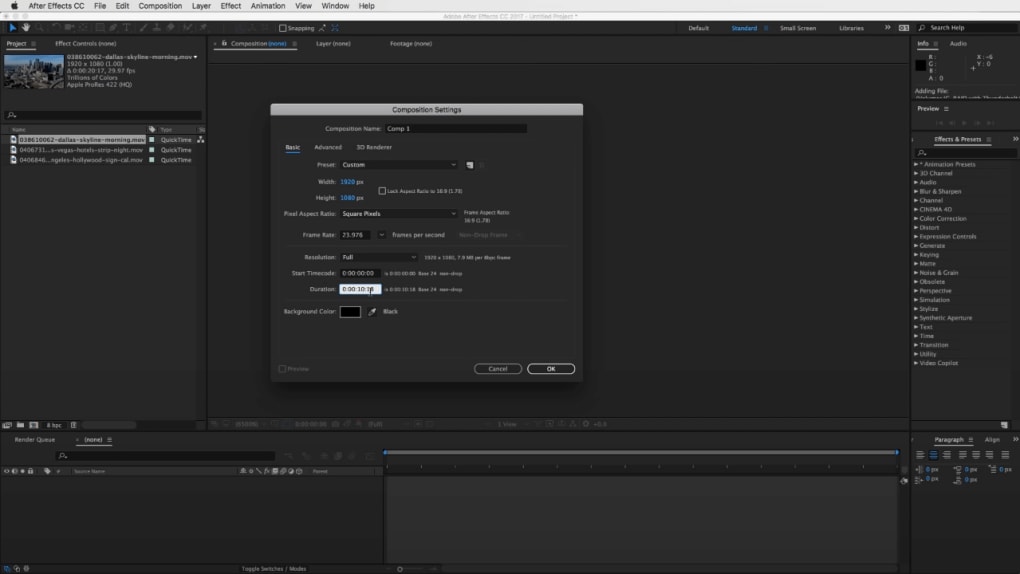
Upon first launch, configure your project settings to match your intended output. Set the composition size (e.g., 1920×1080 for HD), frame rate, and pixel aspect ratio. Navigate to Edit → Preferences → Memory & Performance to allocate RAM for rendering and enable GPU acceleration if your Mac supports Metal. Adjust the cache settings to a fast SSD for smoother previews. For users integrating with other Adobe apps, enable the Dynamic Link feature in the preferences; this creates a real‑time connection with Premiere Pro, eliminating the need for intermediate renders.
System Requirements (itemprop="operatingSystem")
Adobe After Effects CC for Mac requires macOS 12.0 Monterey or later, with a 64‑bit Intel or Apple Silicon processor. Minimum specifications include:
- Processor: Intel 6th Generation or Apple M1/M2 chip
- Memory: 16 GB RAM (32 GB recommended for complex 3D work)
- GPU: 4 GB VRAM supporting Metal (Apple Silicon GPU integrated)
- Storage: 8 GB available SSD space for installation plus additional space for cache and media files
- Display: 1440 × 900 resolution or higher
While the software will run on older hardware, you may experience slower render times and limited real‑time playback. For optimal performance, keep your graphics drivers up to date and consider using an external SSD for media assets.
First Project Tips
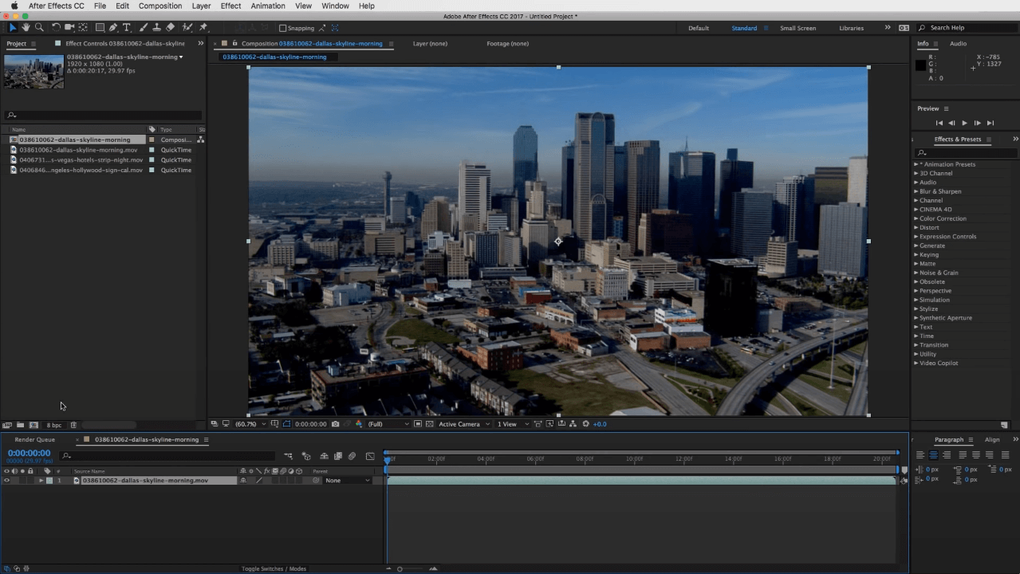
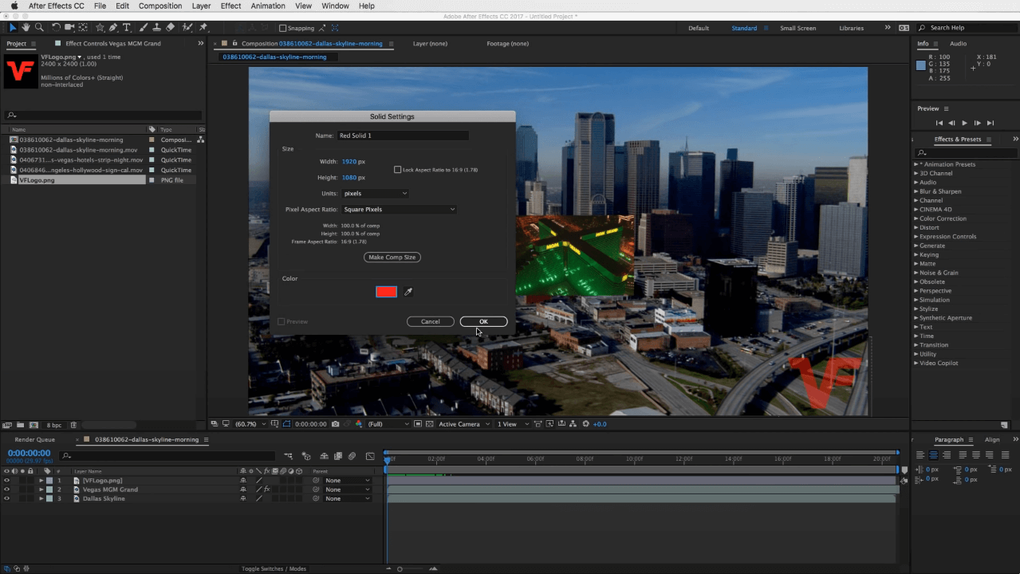
Start with a simple composition: import a video clip, add a text layer, and apply a basic preset like Fade In. Use the Effect Controls panel to tweak parameters and preview changes instantly. Explore the Effects & Presets browser to discover the vast library of built‑in tools. As you become comfortable, experiment with the Roto Brush for masking and the 3D Camera Tracker for adding virtual cameras to live‑action footage. Remember to save your project frequently and enable auto‑save under Preferences to protect against unexpected crashes.
Pros, Cons & Frequently Asked Questions
Pros
- Industry‑standard tool with a massive ecosystem of plugins.
- Deep integration with Adobe Creative Cloud for seamless asset sharing.
- Powerful 3D compositing and motion‑tracking capabilities.
- AI‑driven Sensei features accelerate repetitive tasks.
- Regular updates and robust security from a licensed source.
Cons
- Steep learning curve for beginners.
- Subscription pricing can be costly for occasional users.
- High system requirements for complex projects.
- Rendering can be time‑intensive without a powerful GPU.
- Interface may feel cluttered due to the sheer number of options.
FAQ (Microdata for FAQPage)
Can I use Adobe After Effects CC on a Mac with Apple Silicon?
Yes. Adobe offers a native Apple Silicon version that runs efficiently on M1 and M2 chips, providing faster rendering and lower power consumption compared to Rosetta‑2 emulation.
Is a subscription required, or can I purchase a perpetual license?
After Effects is only available through Adobe’s subscription model. You can choose a single‑app plan or the full Creative Cloud bundle, which includes regular updates and cloud storage.
How does After Effects integrate with Premiere Pro?
Through Dynamic Link, you can import an After Effects composition directly into Premiere Pro without rendering. Changes made in After Effects update automatically in the Premiere timeline.
What is the difference between the “Standard” and “Enterprise” plans?
Enterprise plans include additional admin controls, centralized licensing, and volume discounts for large teams, whereas the Standard plan is geared toward individual creators.
Can I use third‑party plugins with After Effects CC?
Absolutely. After Effects supports a wide range of third‑party plugins (e.g., Red Giant, Video Copilot). These extensions expand the creative possibilities and often accelerate specific workflows.
Conclusion & Call to Action
Adobe After Effects CC remains the go‑to solution for motion designers, VFX artists, and video editors who need a reliable, feature‑rich platform that scales from simple title animations to full‑blown cinematic effects. Its comprehensive toolbox—combined with AI‑enhanced workflows, a thriving plugin marketplace, and seamless Creative Cloud integration—means you can deliver broadcast‑quality results faster and more efficiently than ever before. While the subscription cost and hardware demands may be a consideration, the security, regular updates, and professional support that come with a licensed copy outweigh the risks associated with pirated versions. Whether you’re a freelancer seeking to impress clients, a studio looking to standardize its pipeline, or a hobbyist ready to explore the world of visual effects, After Effects provides the foundation for limitless creativity.
Ready to elevate your motion‑graphics game? Download Adobe After Effects CC for Mac today, start a free trial, and experience the power of industry‑leading visual effects software. Unlock your creative potential and bring your ideas to life with the precision and polish that only Adobe can deliver.
Adobe After Effects CC delivers a powerful, flexible environment for motion graphics and visual effects. Its integration with Creative Cloud, robust 3D workspace, and extensive plugin support make it a top choice for professionals, despite the steep learning curve and subscription cost.







